
Schedule calls or live sessions
Make important conversations count.
The networks on a call belong to the people on it, not to you. Add the people and where they are, and KASPR Schedule scores every hour of the week by the chance of a rough connection at each place, then hands you one recommendation, two alternatives, and the calendar invite.
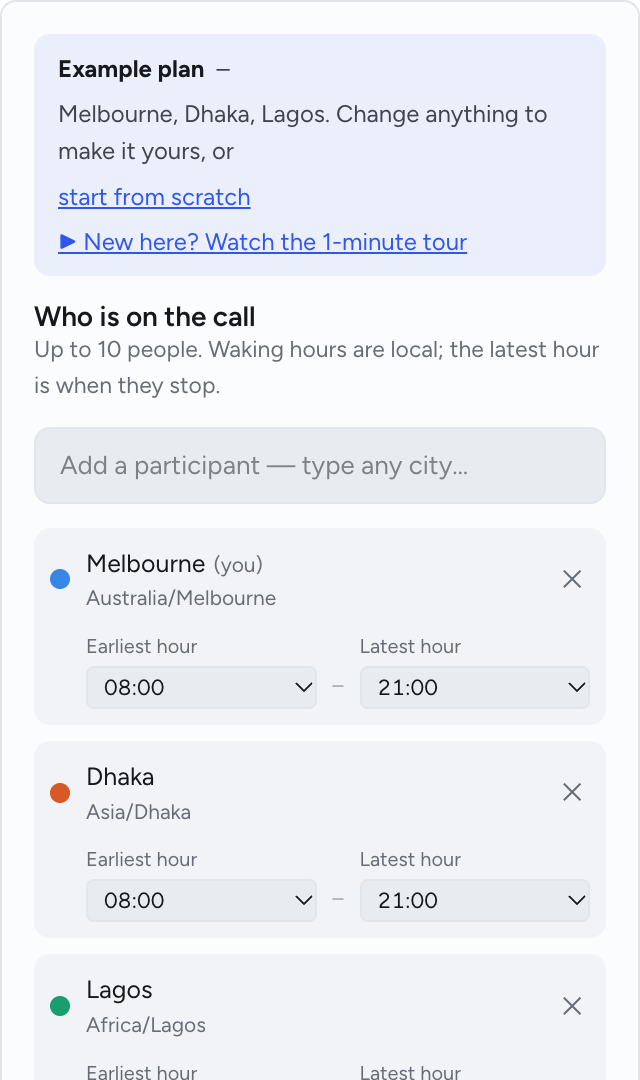
Add the people, see the hours
Type a city for each person. Waking hours are local, so nobody is asked to join at 3 am. Each place brings its own measured daily cycle; the planner combines them.
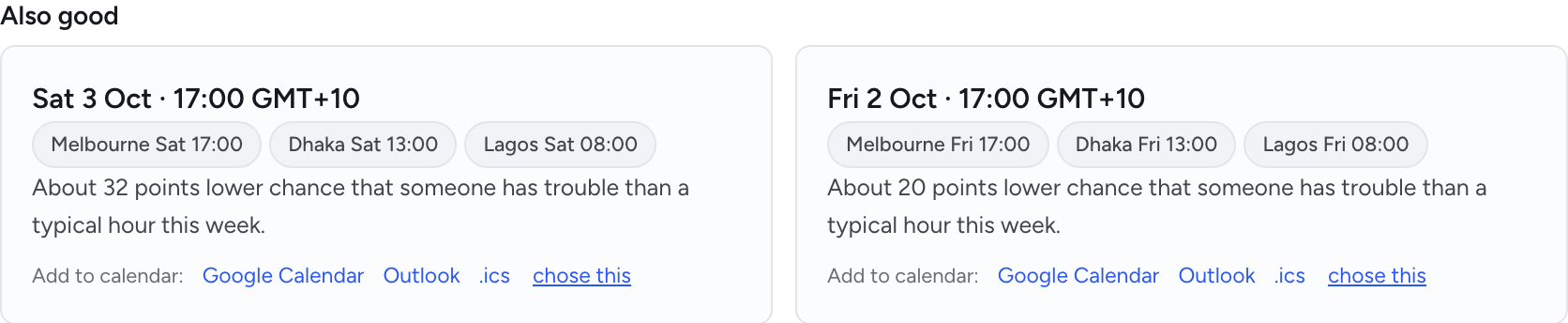
One recommendation, two alternatives
The card says when, why, how much better than a typical hour, and how sure we are. Two alternatives follow, each on a different day, so a clash does not send you back to the start.
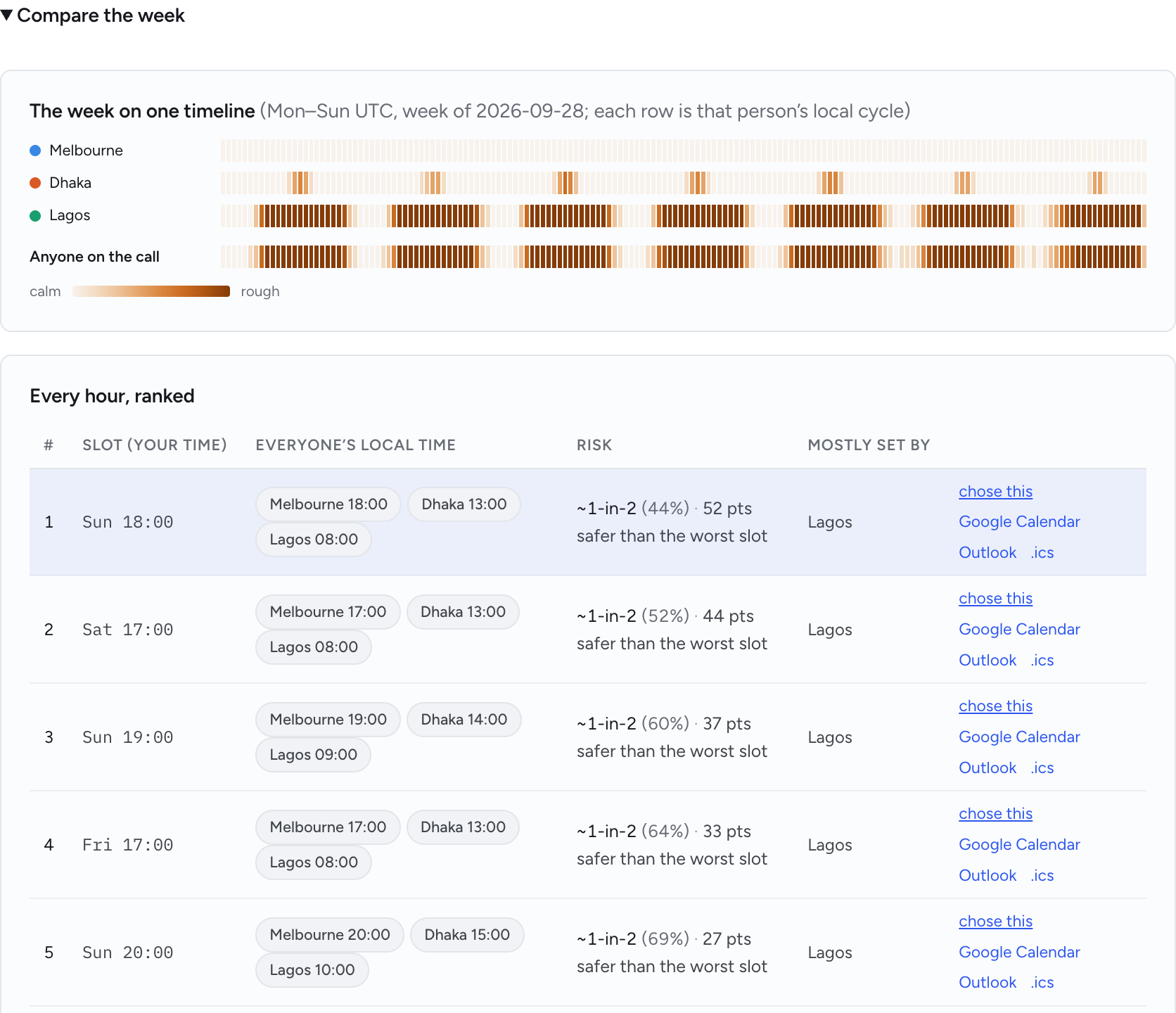
Compare the week
Every hour of the week ranked, with each person’s daily cycle beside it. When the best hour does not suit, the table shows what the next one costs.
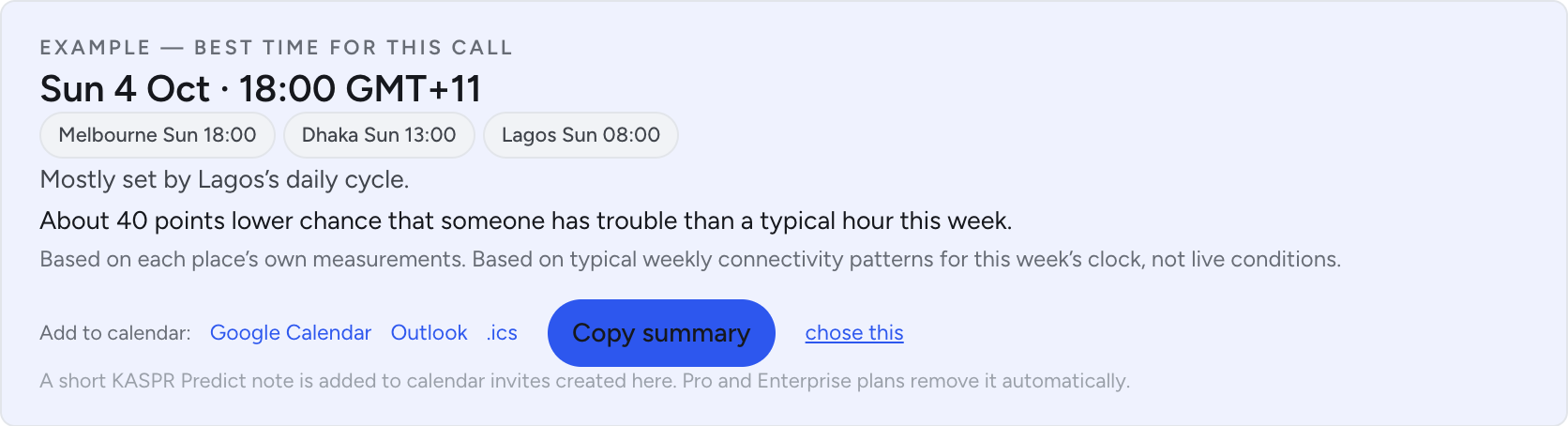
Straight into the calendar
Google Calendar, Outlook or an .ics file, with the recommendation’s summary in the invite. One click, the length you set.
How it works
- 1Add the people and their cities.
- 2Set the length, the week and the days that work.
- 3Add the recommendation to the calendar.